

We constantly receive One-Time Passwords (OTPs) to authenticate all our activities, right from setting up new apps to making online purchases.
OTPs are an integral part of online security. These temporary codes act as an extra layer of protection during logins and transactions. For instance, when you enter your username and password on a website, an OTP is sent to your phone for verification. This ensures that only people who have legitimate and authorized access to your phone can complete the action.

Traditionally, OTPs have been delivered via SMS. However, SMS comes with certain limitations. Firstly, SMS delivery can be unreliable, especially if you are in areas with poor network coverage. Secondly, SMS messages are not encrypted. This makes them vulnerable to interception.
The WhatsApp Business API offers a more secure and user-friendly alternative for sending OTPs. In this blog, we will discuss how your business can send OTPs on WhatsApp and the benefits of doing so.
Benefits of Using WhatsApp for OTPs
While traditional SMS has long been the go-to option for sending OTPs, there’s a new player in town offering a more secure and user-friendly experience: WhatsApp OTPs. Here are a few compelling reasons why your business should consider making the switch:
Top-Notch Security: Unlike SMS, WhatsApp messages are shielded with end-to-end encryption. This means only you and your user can see the OTP. It is comparatively more difficult for hackers and fraudsters to get access to your WhatsApp OTPs than SMS OTPs.

Global reach: With over three billion users worldwide, WhatsApp comes with a massive global reach. This means your customers get their OTPs almost instantly, no matter where they are in the world.
Reliable Delivery: If people opt to receive their OTP through SMS, they need a strong cellular signal, which can be unreliable in low connectivity areas. However, WhatsApp uses both Wi-Fi and cellular data, which increases the chances of successful message delivery. Additionally, you do not have to deal with multiple telecommunication carriers, ensuring a smooth process for everyone involved.
Familiarity Factor: Most people are already comfortable using WhatsApp. Receiving OTPs directly within the app creates a seamless and user-friendly experience. Your users do not have to switch between apps, as they can receive and verify the OTP within the same app that they already use for communication.
Cost-Effective Communication: Sending OTPs via WhatsApp can be significantly cheaper compared to traditional SMS, especially for businesses with a large user base.
Interactive Two-Way Communication: Unlike SMS, WhatsApp allows for two-way communication. This means if a customer encounters any issues during the authentication process, they can easily reach out to your business directly through WhatsApp for clarification or assistance. This creates a more interactive and convenient experience for them.
Never Miss a Beat: Even if WhatsApp encounters any delivery issues, the system can automatically switch to sending the OTP via SMS as a backup. This ensures uninterrupted verification for your users.
This innovative approach transcends traditional SMS, offering a future of secure and user-friendly authentication for businesses around the world.
Now, let’s talk about how you can get started with WhatsApp OTP.
How to Send OTPs via WhatsApp?
Ready to send OTPs on WhatsApp? Here’s the breakdown of the two main ways of sending OTP: using your own dedicated number or sharing a number with other businesses. We’ll walk you through both the approaches and help you pick the best fit for your needs.
1. Sending WhatsApp OTPs with Your Dedicated WhatsApp Business Number
This option offers the most control and branding consistency. Here’s what you’ll need to do:
First, arrange the following prerequisites:
Dedicated WhatsApp Business Number: You’ll need a phone number solely for your business WhatsApp account, not your personal one.
Business Display Name: Set a clear display name for your WhatsApp Business profile. Ideally, it should be your company name.
Verified Facebook Business Manager: Verify your Facebook Business Manager account to link it with your WhatsApp Business profile.
Steps:
1. API Connection: Establish a connection between your system and the WhatsApp Business API. This might involve using a Business Solution Provider (BSP) that offers WhatsApp API integration.
2. Message Template Configuration: Craft a message template specifically for OTP delivery. This template needs to be submitted to WhatsApp for approval. The template must adhere to WhatsApp’s guidelines. It typically includes:
- User personalization (e.g., name)
- OTP code itself
- A brief explanation of the OTP’s purpose (e.g., account login)
- Company identification in the footer
OTP Generation and Sending: Once a user triggers the OTP request (e.g., login attempt), your system generates a unique code. Use the WhatsApp Business API to send the OTP message using the approved template, replacing the placeholders with the user’s information and the generated code.
Delivery Status Handling: Incorporate a mechanism to track the delivery status of the OTP message. This allows you to resend the code if it fails to deliver within a reasonable timeframe.
Additional Considerations:
- Sending OTPs might involve regulations depending on your industry and location. Ensure your practices comply with relevant data privacy laws.
- Remember, this is a general guideline. The specific steps involved may vary depending on the chosen BSP and your development environment.
2. Sending OTPs with a Shared WhatsApp Business Number
This option offers a quicker and potentially more cost-effective way to get started:
1. Sign Up with a WhatsApp Business Solution Provider (BSP): Look for a reputable BSP that offers shared number services for sending OTPs. These providers handle the technical aspects and usually have a user-friendly interface for sending messages.
2. Choose a Plan: Select a plan that aligns with your OTP sending volume and budget. BSPs typically offer different tiers with varying pricing structures.
3. Start Sending OTPs: Once you’ve signed up and chosen a plan, you can start sending OTPs using the provider’s platform. The process is usually straightforward and requires minimal technical expertise.
Choosing the Right Path
The best option for you depends on your specific needs and priorities. Consider factors like:
- Consider a Dedicated Number if:
- Control and Branding are Crucial: You prioritize complete control over user conversations and want to ensure clear brand association with the WhatsApp number.
- High OTP Volume is Expected: You are going to send a large number of OTPs regularly. Dedicated numbers offer greater scalability for handling high message volumes.
- Consider a Shared Number if:
- Cost is a Major Factor: You’re budget-conscious and just getting started with OTPs on WhatsApp. Shared numbers are typically more affordable than dedicated ones. The cost-efficiency of a shared number generally outweighs the benefits of a dedicated one.
- Speed and Simplicity are Key: You prioritize a quick setup process and a user-friendly interface for sending OTPs. BSPs offering shared numbers handle most of the technical complexities.
- Lower OTP Volume is Anticipated: You are going to send a relatively low number of OTPs.
Ultimately, the best choice depends on your specific requirements.
Now that we have discussed the “why” and “how,” let’s discuss the “where.” Let’s consider some real-world scenarios in which WhatsApp OTPs are not just useful but game-changers.
WhatsApp OTP Use Case Examples

WhatsApp OTPs offer a convenient and secure way to verify user identities across various applications. Here are some prominent use cases:
User Registration and Account Activation
With WhatsApp OTP, user registration becomes seamless and convenient. Your users will receive the verification code directly on their phone in an app they already know and trust. Also, end-to-end encryption adds an extra layer of security. This makes registration a breeze, keeping users happy and engaged.
Secure E-commerce Transactions
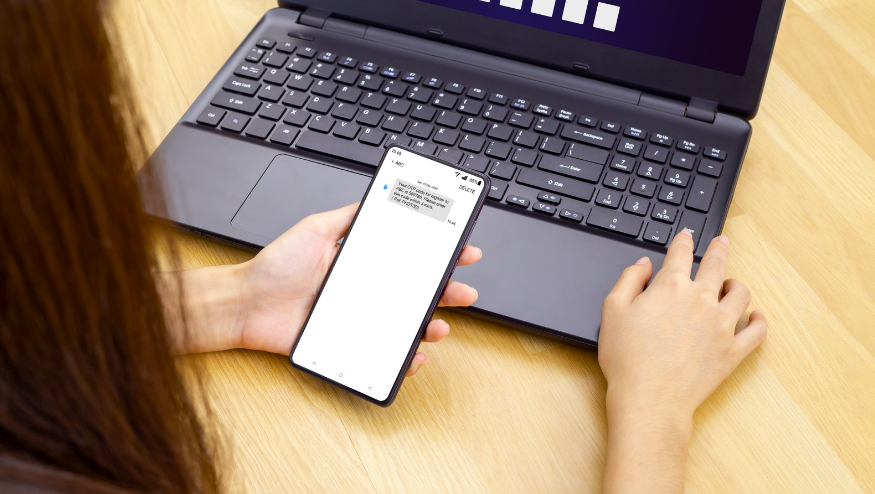
Customers are generally worried while making online payments. WhatsApp OTP can add an extra layer of security during checkout. When a purchase is made, users will get a verification code on their phone, allowing them to verify its legitimacy before it’s finalized. This helps prevent fraud and builds trust in your business.
Banking Security
It’s very difficult to trust anything when it comes to money, and managing finances online requires a lot of trust. Provide peace of mind to your users by using WhatsApp OTP for various banking activities. This includes verifying transactions, resetting passwords, and recovering accounts. It’s a simple step that goes a long way in protecting their valuable information.

Subscription Management
When someone signs up for your subscription service, whether it’s a streaming platform, newsletter, or anything else, they’ll receive a verification code directly on their WhatsApp. This simple step confirms their intent and prevents accidental signups.
Similarly, use WhatsApp OTPs when subscribers want to modify their plans. This makes changing preferences quick and secure.
Secure Employee Onboarding
Welcome new team members with a secure and efficient process. Send a WhatsApp OTP during the onboarding process to verify their identity and grant them access to necessary information. This eliminates the need for complex password setups and ensures a smooth transition into their new role.
Verified Event Ticketing
Event organizers can use WhatsApp OTP to send verification codes to attendees. This helps prevent the use of fake tickets and keeps your event secure and enjoyable for everyone.
Account Deactivation
When a user wants to deactivate their account, the company can send them an OTP code via WhatsApp. The user will have to enter this code to verify their identity and intent to deactivate the account. This added step prevents accidental deactivation and ensures the account owner is the one making the request.
Password Changes
We’ve all been there – staring at the screen, racking our brains to remember a long-forgotten password. With WhatsApp OTP verification, you can offer your users a quick and simple fix to this common headache.
When a customer forgets their login, a simple WhatsApp OTP gets them back in. This also guarantees only the authorized user can make changes, keeping their account safe.
Delivery Confirmations
E-commerce businesses can use WhatsApp OTP to confirm deliveries. Imagine this – the delivery driver arrives, and the customer receives a notification with a one-time code on WhatsApp. Once they confirm the code, the package is delivered.
This ensures the right package gets into the right hands, reducing fraud and disputes. It’s a win for you, your delivery partners, and most importantly, your customers.
Appointment Confirmations
Businesses like hospitals, salons, and restaurants can use WhatsApp OTP to confirm appointments. When a customer books an appointment, they’ll receive a WhatsApp message with a verification code. Once they confirm, you know they’re on their way. This eliminates confusion and ensures a smoother operation for everyone.
Now, let’s switch gears and discuss how to stay on top of things with some of the best WhatsApp OTP practices.
WhatsApp OTP Best Practices: Enhancing Security and User Experience
When implementing WhatsApp OTP verification, following best practices is crucial for a smooth and secure user experience.
Confirmation Prompt: Before sending the OTP, request that users confirm their WhatsApp number. This double-checks for typos and ensures the code reaches the right person.
Delivery Timeframe: Inform users about how long it will take to receive the OTP through WhatsApp. This reduces anxiety and sets clear expectations.
Process Clarity: Explain the purpose of the OTP and how to use it for verification. This guides users through the process and avoids confusion.
Template Compliance: Use pre-approved WhatsApp Business Manager templates specifically designed for OTP delivery. These templates adhere to formatting and content guidelines for faster approval and optimal delivery.
OTP Security: Ensure your system generates strong, random OTPs with a limited lifespan (e.g., a few minutes). Avoid predictable or easily guessable codes.
Resend Option: Make sure you provide your users with an option to request a new OTP if they don’t receive the initial one within a reasonable timeframe. This addresses challenges that could come up due to potential network delays or user errors.
Clear Error Messages: If the entered OTP is incorrect, provide clear and informative error messages. This helps users identify and rectify any mistakes.
Data Privacy: Comply with relevant data privacy regulations regarding user information collected for OTP verification. Be transparent about how you collect, store, and use this data.
By following these best practices, you can use WhatsApp OTP verification to strengthen your authentication process while providing a positive user experience. This builds trust and encourages users to interact with your platform with confidence.
Ever wondered how WhatsApp OTP holds up against the traditional SMS method? Let’s peel the layers and find out.
WhatsApp OTP vs SMS OTP
Let’s take a closer look at how WhatsApp OTP stacks up against traditional SMS OTPs:
| Feature | WhatsApp OTP | SMS OTP |
| Delivery Reach | Requires internet connection | Relies on mobile network coverage |
| User Experience | Integrated within a familiar chat interface | It may require switching between apps |
| Security | End-to-end encryption for enhanced security | Lacks full encryption but still offers a certain level of security |
| Operational Efficiency | Potentially automatable for sending OTPs | Manual processes may be required |
| Device Compatibility | Requires users to have a smartphone and standard WhatsApp installed | Available on all mobile phones, including non-smartphones |
WhatsApp OTPs offer several advantages over traditional SMS OTPs. WhatsApp’s end-to-end encryption enhances security, ensuring that one-time passwords remain confidential between sender and recipient. This platform also comes with higher delivery success rates as it is less affected by poor network signals.
Unlike SMS, which is often associated with unwanted spam messages, WhatsApp provides a cleaner, more trusted communication channel.
So, WhatsApp offers some clear advantages. It’s faster, more secure, and way more convenient.
Conclusion
WhatsApp OTP presents a smooth and secure alternative to traditional SMS OTPs. With its end-to-end encryption, global reach, and user-friendly interface, WhatsApp OTP streamlines the authentication process while enhancing security.
Whether you’re managing online transactions, verifying user identities, or confirming appointments, WhatsApp OTP offers a reliable and convenient solution for businesses of all sizes.
As you explore setting up WhatsApp OTP for your business, consider using TimelinesAI to enhance your team’s efficiency in managing these communications. Its ability to merge multiple WhatsApp accounts into a single shared inbox will help you handle customer interactions more efficiently.
Frequently Asked Questions: FAQs
Q: Are WhatsApp OTPs secure?
A. Yes, WhatsApp OTPs are more secure than SMS OTPs due to end-to-end encryption and reduced reliance on cellular networks. But remember, be cautious of social engineering and use strong passwords for added security.
Q: Can WhatsApp OTPs be automated?
A. Yes, WhatsApp OTPs can be automated. Businesses can integrate with the WhatsApp Business API to automatically send and generate OTP codes. This makes the process faster and more efficient.
Q: Are there any costs associated with using WhatsApp OTPs?
A. Yes, there can be costs associated with using WhatsApp OTPs. Businesses typically pay a fee per message sent through the WhatsApp Business API. The cost can vary depending on the provider and the volume of messages sent.
Q: Will WhatsApp OTP expire?
A. Yes, WhatsApp OTPs typically expire after a short period, often a few minutes. This adds an extra layer of security by ensuring the code cannot be used after a certain timeframe.
Q: Can WhatsApp OTPs be sent internationally?
A. Yes, WhatsApp OTPs can be sent internationally as long as you have the user’s correct international phone number. WhatsApp itself operates globally.
Q: Can I send multiple OTPs at once?
A. No, WhatsApp OTPs are designed to be sent one at a time for a specific verification request. This helps prevent confusion and ensures the security of the code.
Q: Can I customize the OTP messages sent via WhatsApp?
A. Yes, to a certain extent. You can customize the message template used to deliver the OTP code. This template can include placeholders for the user’s name, the OTP code itself, and a brief explanation of the purpose of the OTP (e.g., account login). However, you will need to get this template pre-approved by WhatsApp to ensure it adheres to their guidelines.


