

TimelinesAI enables you to easily organize your information for quick access, collaborate with the rest of the team on your business communication or review their messaging.
How to Share Messages With The Rest of Your Team
All the chats in the workspace are visible to your teammates. But what if you want to proactively share a specific part of the chat with someone from your team?
The easiest way is to select the messages you want to give access to and press the “Share” button. You’ll get a link to a dedicated page that contains the messages and documents you selected. Anyone with the link will get access to view this page:
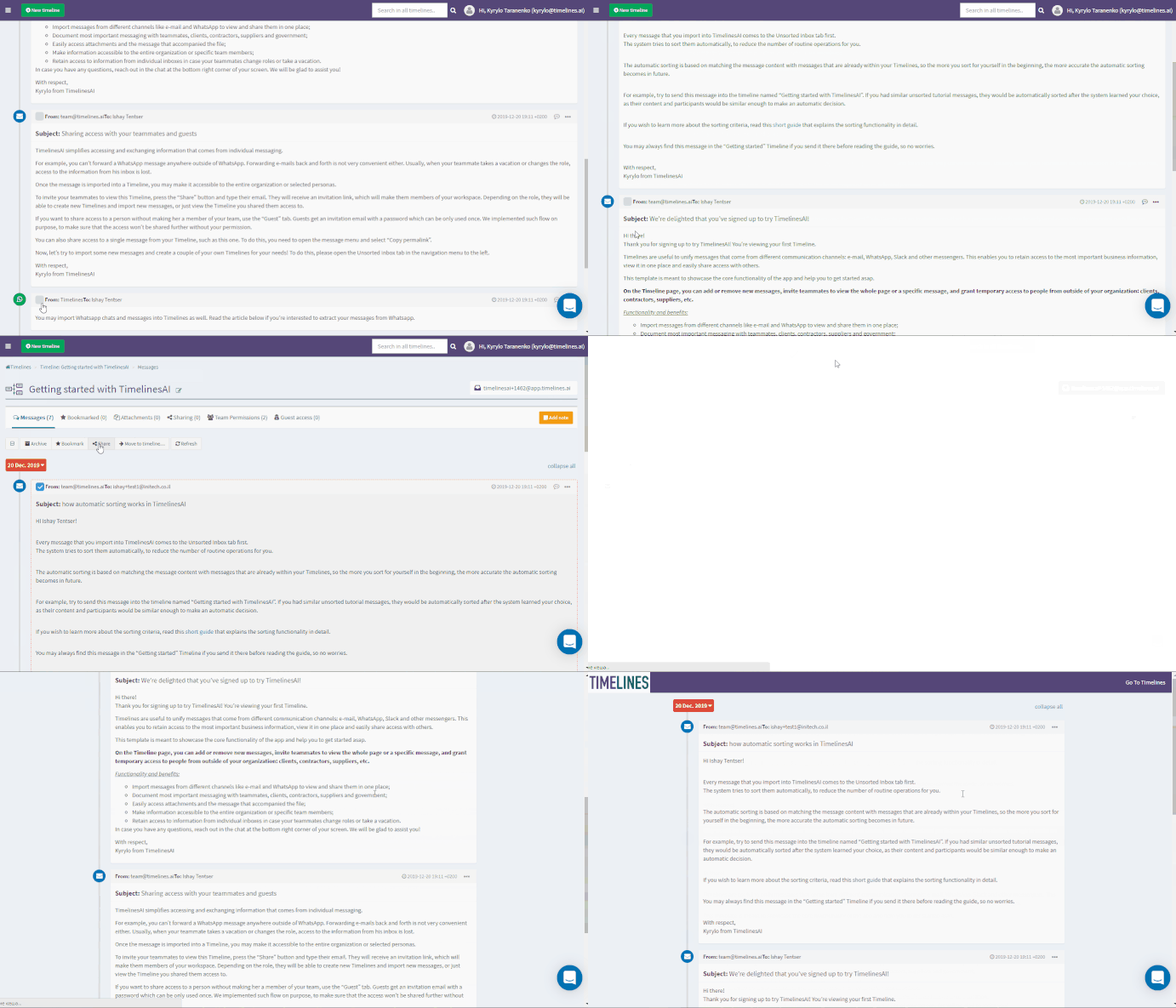
You may also exchange comments, but they will only be visible to the members of your team. Withdraw access at any time by deleting the page in the Sharing tab.
How To Set Comments and Reminders To Follow Up With Clients
The video guide that explains this and other collaboration options on TimelinesAI:

To add context or more details about a specific message, press the speech bubble button.
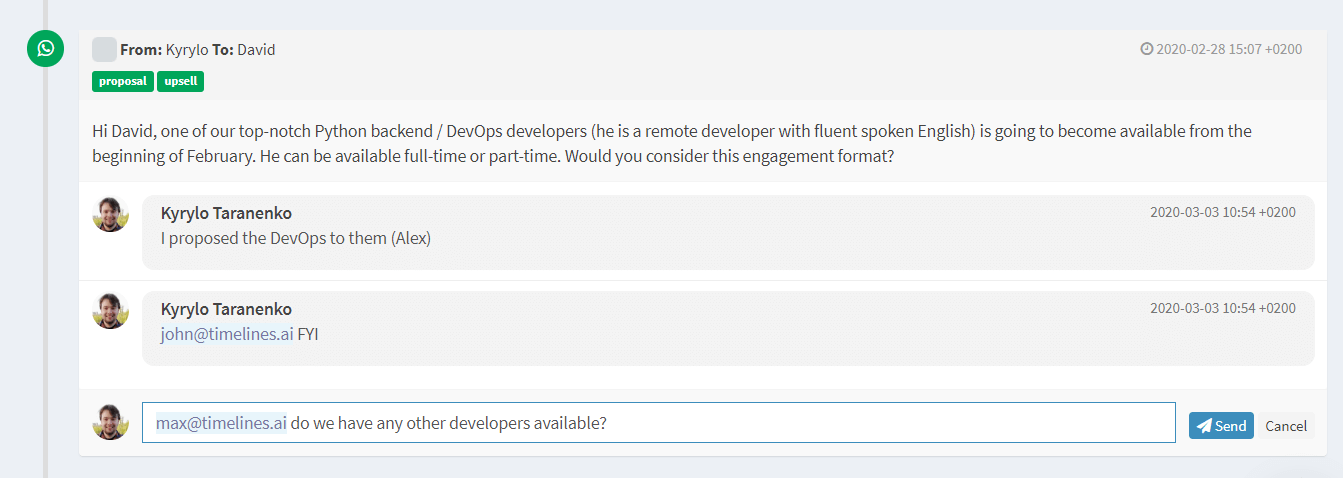
Only people who are listed in Team access tab will be able to view your comments and reply to them. For Guests your comments will not be visible – if you want to share additional information with your guest, use Notes.
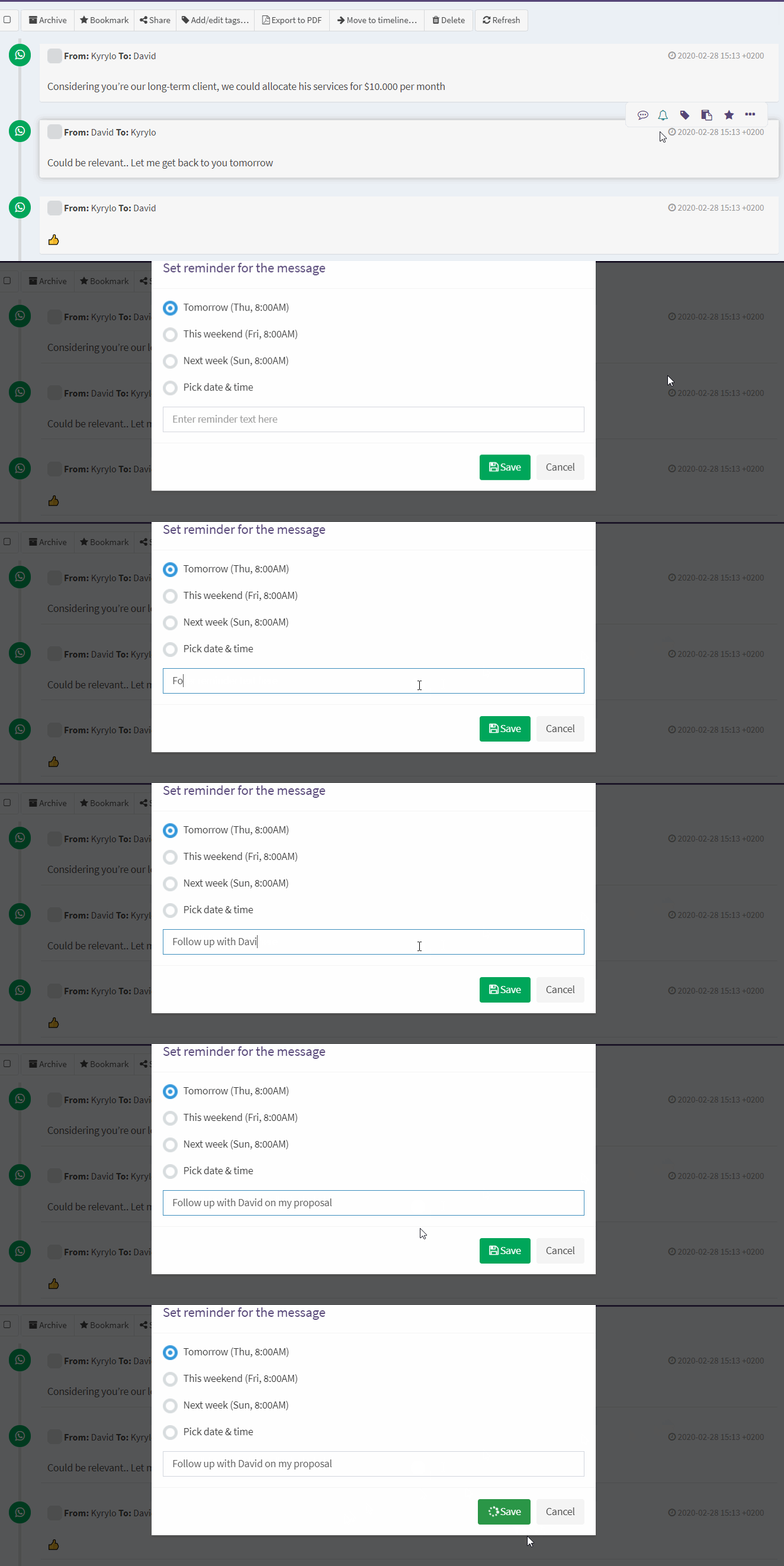
If you want Timelines to remind you to follow up with your clients or teammates regarding a specific message, press the bell button on the message menu and select the date and time when you wish to receive a reminder. It will come as an email with the link to a message which contains this comment.
That’s it! If you have questions on how something works in TimelinesAI, reach out to us in chat. If you have ideas for improvements or new feature requests, please feel free to suggest them or vote on our Public Roadmap.


