

In today’s digital age, customer communication has witnessed a significant shift. People are looking for convenience and real-time communication. That’s where WhatsApp Business steps in, offering a powerful platform to connect with your audience directly and efficiently.
Consider this: nearly 85% of users prefer to receive brand updates through WhatsApp – a platform they’re already comfortable using. By using a WhatsApp Business account, you can gain access to several interesting features designed to streamline communication, enhance customer experience, and ultimately drive sales.
This guide will talk about the advantages of using WhatsApp Business and provide a clear roadmap for setting up your account.
What is a WhatsApp Business Account?
WhatsApp Business is a messaging app specifically designed for the unique communication needs of small to medium-sized businesses. This free application, available for both Android and iPhone devices, simplifies interaction with clients. With the capability to automate messages, categorize conversations, and showcase products and services through a digital catalog, WhatsApp Business stands out as a go-to tool for business communication.
WhatsApp Business fosters a direct and personalized approach. Businesses can engage with customers directly- send out notifications, updates, and marketing communications. It also offers time-saving features like automated greetings and pre-written responses to frequent inquiries.
What are the Benefits of Using the WhatsApp Business App?
Before we jump into setting up a WhatsApp Business account, let’s see how it can help your business.
- Meet Customers Where They Are: With over 2 billion active users, WhatsApp is one of the leading messaging platforms globally, widely used in many regions. Businesses can leverage this to connect with customers on their preferred channel.
- Enhanced Customer Interaction: WhatsApp Business allows for real-time, two-way conversations. With the help of this app, you can answer questions, address concerns, and personalize communication, leading to higher customer satisfaction.
- Global Reach, Local Impact: WhatsApp breaks down geographical barriers, letting you connect with customers worldwide. Plus, you can still cater to local audiences with targeted messaging in their preferred language.
- Cost-Effective Solution: WhatsApp offers a cost-effective way to reach a large audience compared to traditional methods like SMS or print.
- Improved Efficiency: You can utilize features like auto-replies for frequently asked questions or welcome messages. This frees up time for handling more complex customer interactions.
- Rich Media Marketing: WhatsApp allows sending images, videos, catalogs, and documents. Businesses can use this to showcase products, share informative content, and create marketing campaigns that resonate with customers.
- Broadcast Messaging with Analytics: Businesses can send targeted messages to a large audience segment. Broadcast messaging lets you reach the right people with the right information at the right time. Plus, analytics provide valuable insights that you can use to fine-tune your campaigns.
- Scalability for Growth: WhatsApp can adapt to the needs of growing businesses. The platform offers solutions for small businesses with a single user to larger enterprises requiring multi-agent support through the WhatsApp Business API.
Now, let’s get you started with setting up your WhatsApp Business account.
How to Set Up Your WhatsApp Business Account?
Here’s a step-by-step guide to setting up your WhatsApp Business Account:
1. Download the App:
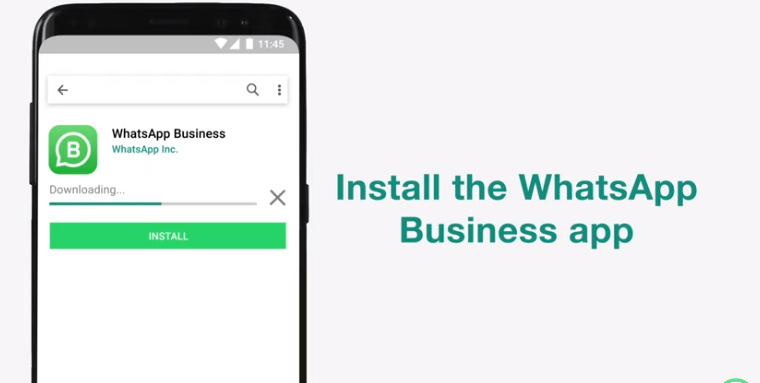
- Open the Google Play Store (Android) or App Store (iPhone/iPad) and search for “WhatsApp Business”..
- Download and install the app on your phone.
2. Verify your Business Phone Number
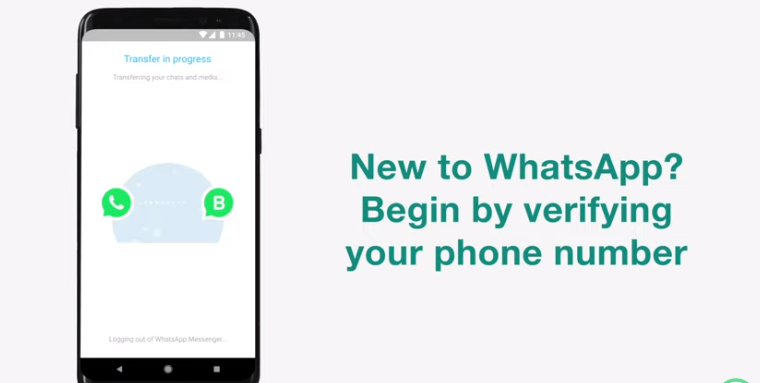
- Open the WhatsApp Business app after installation.
- Upon launching the app, you’ll be presented with the Terms of Service. Read them carefully and tap “Agree and Continue” if you agree.
- Select your country code and enter your business phone number in international format. Tap “Next” and choose to receive a 6-digit verification code via SMS or phone call.
- Enter the 6-digit verification code to verify your account.
Note: At this point, you can choose to use your current personal number or a dedicated WhatsApp Business number. Using a dedicated number is preferable for a clear separation between personal and business communications. If using your existing number, be prepared to migrate chat history, media, and contacts to the WhatsApp Business app for a smooth transition.
3. Set up Your Business Profile:
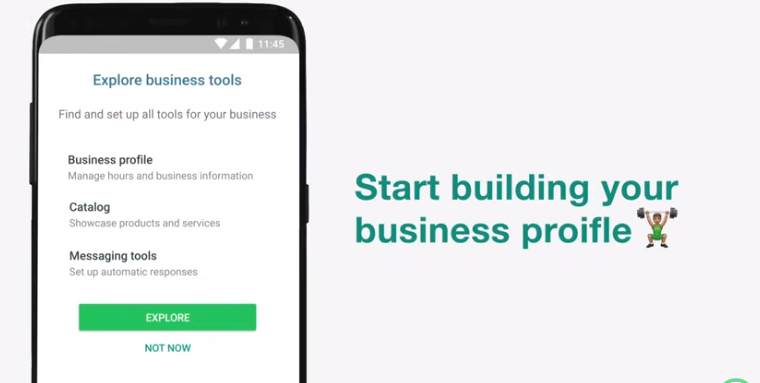
- Enter the business name that customers will see during interactions. Tap “OK” to confirm.
- Select a business category that best describes your company.
- Choose a profile picture that clearly represents your brand (ideally your logo) and tap “Next” to proceed.
- After setting up your profile, you can add more details to your WhatsApp Business listing. Tap “EXPLORE” and then “Business profile.” Here you can add: the address, description, hours, email, and website. This provides a richer experience for your customers!
4. Explore and Utilize Business Tools
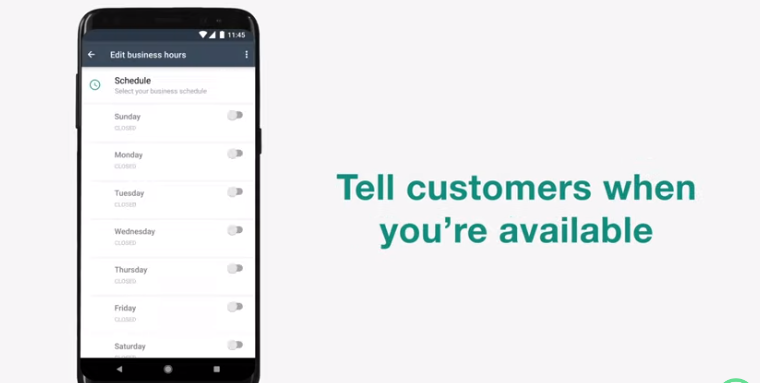
WhatsApp Business comes with various tools to enhance customer communication. Click on More Options” (Android) or “Settings” (iOS) to access them. Here are some of the key features:
Product Catalog: Create and manage a digital catalog showcasing your products or services.
Shareable Link: Generate a unique link that customers can use to easily connect with your business on WhatsApp.
Messaging Tools:
- Greeting Message: Set an automated welcome message for new customers who initiate chats.
- Away Message: Set an auto-reply when you’re unavailable to respond.
- Quick Replies: Create pre-written responses to frequently asked questions.
Conversation Labels: Organize your chats with customers using custom labels for better communication management.
5. Start Connecting:
- Your WhatsApp Business account is now set up!
- You can start connecting with your customers by sharing your WhatsApp Business number or QR code.
- To find your QR code, go to Settings > Business tools > Send link or QR code.
Now that the setup is done, remember that you can link your account to up to four linked devices and one phone at a time with a single phone number. This will ensure accessibility and convenience allowing your business to manage customer interactions across multiple devices.
For businesses managing communications across multiple WhatsApp numbers, TimelinesAI comes with a good solution. TimelinesAI enhances WhatsApp usage by syncing messages and contacts from multiple accounts, providing a centralized platform for comprehensive communication management. This ensures that all customer interactions are handled efficiently in one place.
Limitations of the WhatsApp Business App
While the WhatsApp Business app offers a wide range of features, it has quite a few limitations:
Limited Broadcast Reach: You can only send messages to up to 256 contacts at a time using broadcast lists. This can be restrictive for businesses with large customer bases.
Limited Automation: The built-in automation features are fairly basic. You can set up greeting messages and away messages, but more complex automation like chatbot is not possible.
No Analytics: The app doesn’t provide detailed analytics about your messaging history. This makes it difficult to track the performance of your campaigns.
Limited Integration: The app integrates with a limited number of third-party business tools.
If these limitations restrict your communication needs, the WhatsApp Business API offers a robust solution.
So, What About the WhatsApp Business API?
For large-scale communication, the standard WhatsApp Business app falls short. That’s where the WhatsApp Business API steps in.
What is the WhatsApp Business API?
Think of the WhatsApp Business API as a bridge between your business and WhatsApp users. It’s not a standalone app, but a developer tool that lets you integrate WhatsApp messaging into your existing business systems and software such as CRM platforms, marketing automation tools, and helpdesk software.
How can it help your business?
It allows you to send messages to a broader audience, going beyond the limitations of the standard app.
It can help implement advanced chatbots and automated workflows for comprehensive customer support.
Through WhatsApp Business API, you can get valuable insights through detailed analytics that can help enhance your campaign effectiveness.
You can connect the API with a wider range of third-party business tools for streamlined operations.
Who is it for?
The WhatsApp Business API is ideal for medium to large businesses that want to improve customer communication. It’s perfect for companies in sectors like e-commerce, travel, banking, or customer service.
Getting Started with WhatsApp Business API
To use the API, you’ll need to connect to it using a Meta Business Partner that can help you set up the API, integrate it with your systems, and provide ongoing support.
Conclusion
In conclusion, WhatsApp Business offers a convenient way for businesses to connect with customers. By following this guide, you can quickly set up your account and start leveraging the many features it offers to improve customer communication, enhance brand image, and ultimately drive sales.
For even greater efficiency, consider integrating third-party solutions like TimelinesAI. This tool streamlines communication workflows, facilitates targeted outreach, and offers valuable reporting for informed marketing decisions.
Try their free trial to discover how TimelinesAI can help you grow your business.


