

Welcome to the world of WhatsApp autoresponders – your secret weapon for efficient and effective customer service without breaking a sweat. But wait, what exactly are autoresponders? Think of them as your personal assistant in the digital realm, handling customer inquiries and messages automatically, even when you’re away.
No more missed messages or delayed responses – autoresponders ensure that your customers receive timely and personalized replies, enhancing their experience with your business.
Definition and Purpose of Autoresponders in Customer Service
Autoresponders are automated messages that are triggered in response to specific keywords, inquiries, or actions from customers. Their primary purpose is to provide instant responses to common queries or requests, thereby improving customer satisfaction and streamlining communication processes.
Whether it’s acknowledging receipt of a message, providing FAQs, or offering support during non-business hours, autoresponders are invaluable tools for businesses looking to enhance their customer service capabilities.
Advantages of Using WhatsApp for Business Communication
Why WhatsApp, you ask? Well, the answer is simple – it’s where your customers are. With over 2 billion active users worldwide, WhatsApp boasts unparalleled reach and engagement potential for businesses.
By leveraging WhatsApp for business communication, you tap into a platform that your customers are already familiar with and prefer for instant messaging. Plus, with features like end-to-end encryption and multimedia support, WhatsApp offers a secure and versatile channel for interacting with your audience.
Overview of No-Code Solutions for Setting up Autoresponders on WhatsApp
Now, here comes the exciting part – setting up autoresponders on WhatsApp without any coding skills required. Thanks to innovative no-code solutions like TimelinesAI, you can automate your customer service workflows effortlessly. Here’s how it works:
- User-Friendly Interface: TimelinesAI offers an intuitive platform that allows you to create and customize autoresponders with ease. No technical expertise required – simply drag and drop elements to design your automated messages.
- Customizable Templates: Choose from a range of pre-designed templates tailored to different industries and use cases. Whether you’re in e-commerce, hospitality, or healthcare, TimelinesAI has got you covered with templates that can be easily customized to suit your brand voice and messaging style.
- Smart Keyword Triggers: Set up keyword triggers to initiate specific autoresponders based on customer inquiries or actions. For example, if a customer asks about your business hours, TimelinesAI can automatically send a response with your operating hours and contact information.
- Analytics and Insights: Gain valuable insights into customer interactions and engagement metrics with TimelinesAI’s analytics dashboard. Track response rates, message volumes, and customer feedback to optimize your autoresponder campaigns for maximum effectiveness.
With TimelinesAI, setting up autoresponders on WhatsApp is a breeze – no coding skills required. Say goodbye to manual responses and hello to seamless automation that keeps your customers happy and your business thriving.
Choosing the Right WhatsApp Business Autoresponder Service
So, you’re ready to level up your customer service game with WhatsApp autoresponders, but with so many options out there, how do you choose the right service for your business? Fear not, we’ve got you covered.
In this section, we’ll walk you through the factors to consider when selecting a WhatsApp autoresponder service, compare popular no-code platforms, and shed light on the limitations and costs associated with these solutions.
Factors to Consider When Selecting a WhatsApp Autoresponder Service
When choosing a WhatsApp autoresponder service, it’s essential to keep the following factors in mind:
- Ease of Use: Look for a platform that offers a user-friendly interface and intuitive design, allowing you to create and manage autoresponders effortlessly.
- Customization Options: Consider the level of customization available, including the ability to personalize messages, set up keyword triggers, and tailor autoresponder campaigns to suit your brand identity.
- Integration Capabilities: Ensure that the autoresponder service integrates seamlessly with other tools and platforms you use, such as CRM systems, messaging apps, and customer support software.
- Analytics and Reporting: Look for features that provide insights into customer interactions and engagement metrics, allowing you to track the performance of your autoresponder campaigns and make data-driven decisions.
- Customer Support: Evaluate the level of customer support offered by the autoresponder service provider, including responsiveness, availability, and quality of assistance provided.
Comparison of Popular No-Code Platforms for WhatsApp Autoresponders
Let’s take a closer look at some of the popular no-code platforms for WhatsApp autoresponders:

- TimelinesAI: TimelinesAI stands out for its user-friendly interface, customizable templates, and smart keyword triggers. With TimelinesAI, you can create and manage autoresponders with ease, gaining valuable insights into customer interactions and engagement metrics.
TimelinesAI allows you to set up a ChatGPT autoresponder in your WhatsApp account without code or external automation tools. Try it out!
- ManyChat: ManyChat is another popular option that offers a range of features for creating chatbots and automating conversations on WhatsApp. While ManyChat excels in chatbot functionality, its focus is more on marketing and lead generation rather than customer service.
- ChatGPT: ChatGPT leverages AI-powered chatbots to automate conversations on WhatsApp and other messaging platforms. While ChatGPT offers advanced natural language processing capabilities, it may require more technical expertise to set up and customize compared to TimelinesAI.
Understanding the Limitations and Costs Associated with No-Code Autoresponders
While no-code autoresponder platforms offer convenience and ease of use, it’s essential to be aware of their limitations and costs:
- Limited Customization: No-code platforms may have limitations in terms of customization options compared to custom-coded solutions.
While they offer templates and drag-and-drop interfaces, you may encounter constraints when trying to implement more complex or unique workflows.
- Subscription Costs: Most no-code platforms operate on a subscription model, with pricing tiers based on features and usage.
Be sure to evaluate the cost-effectiveness of the platform relative to your business needs and budget.
- Technical Support: While many no-code platforms provide customer support, the level of assistance may vary depending on the provider. Consider the availability and quality of technical support when selecting a platform for your autoresponder needs.
Setting Up Your WhatsApp Autoresponder
So, you’re ready to take your customer service game to the next level with a WhatsApp autoresponder. Excellent choice!
Now, let’s roll up our sleeves and get down to business. Here’s a step-by-step guide to setting up your WhatsApp autoresponder hassle-free:
Creating a WhatsApp Business Account

First things first, you’ll need a WhatsApp Business account to leverage the full potential of autoresponders. If you haven’t already set one up, don’t worry – it’s quick and easy. Simply download the WhatsApp Business app from the App Store or Google Play Store, follow the prompts to verify your phone number, and voila! You’re officially in business on WhatsApp.
Signing Up for a No-Code Autoresponder Service
Now that you’ve got your WhatsApp Business account up and running, it’s time to find the perfect autoresponder service to complement it. Enter TimelinesAI – your one-stop solution for no-code autoresponders that pack a punch.
Head over to the TimelinesAI website, sign up for an account (don’t worry, it’s free!), and gain access to a world of automation possibilities.
Linking Your WhatsApp Business Account with the Autoresponder Service
With your WhatsApp Business account and timelinesAI account in hand, it’s time to bring them together for seamless integration. Here’s how:
- Log in to your timelinesAI account and navigate to the settings or integrations section.
- Look for the option to connect your WhatsApp Business account and follow the prompts to authorize the integration.
- Once connected, you’ll be able to access your WhatsApp Business contacts, messages, and settings directly within timelinesAI, making it a breeze to set up and manage your autoresponders.
And just like that, you’re all set to unleash the power of autoresponders on WhatsApp. Sit back, relax, and let timelinesAI handle the heavy lifting while you focus on delighting your customers and growing your business.
Configuring Autoresponder Messages

Now that you’ve decided to dive into the world of autoresponder messages on WhatsApp, let’s roll up our sleeves and get down to business.
In this section, we’ll explore the various types of autoresponder messages you should consider, along with best practices for crafting effective messages that resonate with your audience.
Types of Autoresponder Messages to Consider
When it comes to autoresponder messages, variety is the spice of life. Here are some key types of messages to consider implementing:
- Welcome Messages: Make a great first impression by greeting new customers with a warm welcome message.
Introduce your brand, provide essential information, and offer assistance to get them started on the right foot.
- FAQs: Anticipate common questions and provide quick answers with FAQ autoresponders. Whether it’s inquiries about shipping policies, product availability, or troubleshooting tips, FAQs help address customer queries promptly and efficiently.
- Out-of-Office Replies: Let your customers know when you’re away from the desk with out-of-office autoresponders.
Inform them of alternative contact methods or expected response times, ensuring transparency and managing expectations.
Best Practices for Crafting Effective Autoresponder Messages
Now that you know the types of messages to consider, let’s talk about how to make them shine:
- Keep it Clear and Concise: Nobody likes reading lengthy messages, especially when they’re on the go.
Keep your autoresponders short, sweet, and to the point, conveying the necessary information without overwhelming your audience.
- Be Friendly and Personable: Inject a dose of personality into your messages to make them more engaging and relatable.
Use conversational language, emojis, and friendly greetings to create a welcoming tone that resonates with your audience.
- Provide Value: Don’t just regurgitate generic information – provide real value to your customers with helpful tips, exclusive offers, or personalized recommendations.
Show them that you care about their needs and are committed to providing exceptional service.
Personalizing Messages Based on Customer Interactions
One size does not fit all when it comes to autoresponders. Take advantage of timelinesAI’s personalization features to tailor messages based on customer interactions. Here’s how:
- Segmentation: Divide your audience into different segments based on demographics, preferences, or purchase history.
Customize autoresponders for each segment to deliver targeted messages that resonate with their interests and needs.
- Dynamic Content: Incorporate dynamic content variables like first names, order details, or past interactions to add a personal touch to your messages. Show your customers that you value their individuality and are attentive to their needs.
- Feedback Loop: Solicit feedback from customers and use it to refine your autoresponder messages over time.
Pay attention to their responses, identify areas for improvement, and iterate on your messaging strategy to deliver a stellar customer experience.
By following these best practices and leveraging timelinesAI’s powerful personalization features, you can create autoresponder messages that leave a lasting impression on your customers and drive meaningful engagement.
Testing and Optimizing Your Autoresponder
Once you’ve set up your WhatsApp autoresponder using TimelinesAI, it’s crucial to ensure that it functions seamlessly and effectively. Testing and optimization are key steps in this process, allowing you to refine your autoresponder messages for maximum impact.
Conducting tests to ensure proper functioning
Testing your autoresponder ensures that it operates as intended and delivers the right message at the right time. Consider conducting the following tests:
- Message Delivery: Verify that messages are sent promptly and reach the intended recipients without delays.
- Content Accuracy: Double-check the content of your autoresponder messages to ensure accuracy and relevance.
- Response Handling: Test various scenarios to confirm that your autoresponder responds appropriately to different types of inquiries or keywords.
For instance, if your business offers customer support via WhatsApp, you might simulate common customer inquiries to assess how well your autoresponder handles them.
Measuring the effectiveness of your autoresponder messages
Measuring the effectiveness of your autoresponder messages is essential for gauging its impact and identifying areas for improvement. Consider metrics such as:
- Response Rate: Measure the percentage of recipients who engage with your autoresponder messages by responding or taking action.
- Conversion Rate: Track the number of recipients who complete a desired action, such as making a purchase or booking an appointment, after receiving your autoresponder message.
- Feedback Analysis: Gather feedback from users to understand their experience with your autoresponder and identify any pain points or areas for enhancement.
Iterative improvements based on customer feedback and analytics
Use the insights gathered from testing and analytics to iteratively improve your autoresponder messages. Incorporate customer feedback to address common questions or concerns and optimize your messages for better engagement and conversion.
For example, if you notice that a particular autoresponder message receives a high response rate but low conversion rate, you might experiment with different call-to-action phrases or offer incentives to encourage recipients to take action.
Maintaining and Updating Your WhatsApp Autoresponder
Maintaining and updating your WhatsApp autoresponder is essential for keeping it effective and aligned with your business goals.
Regular reviews, integration of new features, and compliance with WhatsApp’s policies ensure that your autoresponder remains a valuable asset to your business.
Regularly reviewing and updating autoresponder scripts
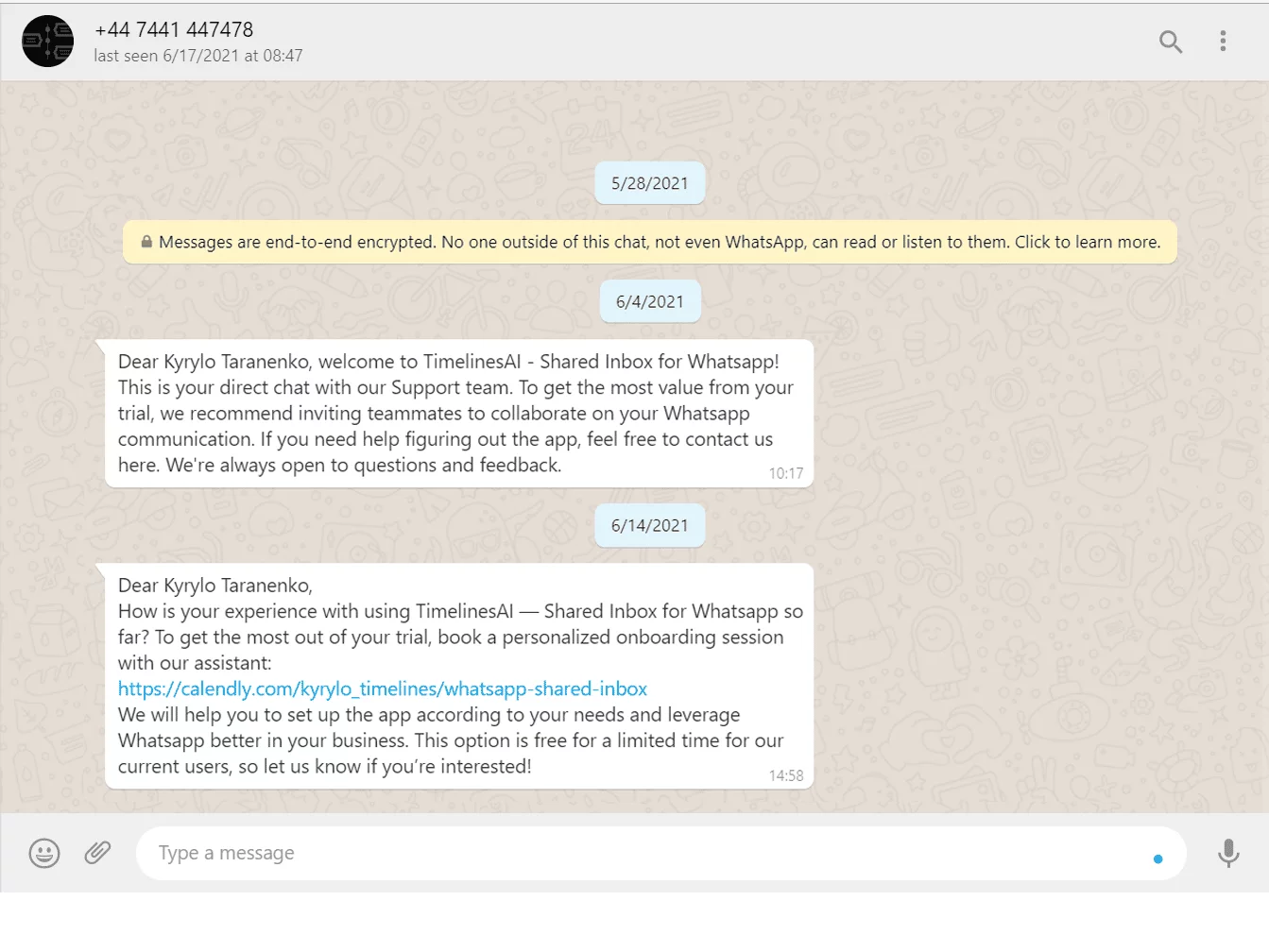
As your business evolves and customer preferences change, it’s essential to review and update your autoresponder scripts accordingly. Keep your messages fresh and relevant by:
- Refreshing Content: Update autoresponder messages to reflect current promotions, events, or product offerings.
- Addressing Feedback: Incorporate customer feedback to refine your messaging and address common questions or concerns.
- Adapting to Trends: Stay informed about industry trends and changes in customer behavior to adapt your autoresponder messages accordingly.
Integrating new features and functionalities offered by WhatsApp or the no-code platform
WhatsApp and no-code platforms like TimelinesAI regularly introduce new features and functionalities that can enhance your autoresponder capabilities.
Stay updated with these developments and leverage them to improve your messaging strategy.
For example, you might explore new automation features or interactive message formats to enhance user engagement.
Staying compliant with WhatsApp’s policies and terms of service
Finally, ensure that your autoresponder remains compliant with WhatsApp’s policies and terms of service.
Violating these guidelines can result in restrictions or penalties for your business. Regularly review WhatsApp’s policies and updates to ensure that your autoresponder remains in compliance.
Advanced Autoresponder Features
Implementing keyword-triggered responses
Ever wished you could instantly respond to specific keywords without lifting a finger? With advanced autoresponder features, you can!
By setting up keyword-triggered responses, you can automatically reply to messages containing certain keywords or phrases.
For example, if a customer sends a message containing the word “pricing,” you can set up an autoresponder to instantly provide them with your pricing information or direct them to your pricing page.
This not only saves you time but also ensures that your customers get the information they need quickly, improving their overall experience with your business.
Setting up automated workflows for complex customer interactions
Gone are the days of manually handling every customer interaction. With automated workflows, you can streamline complex customer interactions and ensure that no query goes unanswered.
By mapping out various customer journeys and setting up automated responses at each touchpoint, you can provide a personalized experience to each customer without breaking a sweat.
For example, if a customer reaches out with a complaint, you can automatically escalate it to the relevant team member and provide the customer with regular updates until their issue is resolved.
This not only improves customer satisfaction but also frees up your team’s time to focus on more high-value tasks.
Exploring integrations with CRM systems and other business tools
To truly unlock the power of autoresponders, you need to integrate them with your existing CRM systems and other business tools.
By seamlessly syncing data between platforms, you can ensure that your autoresponders have access to the latest customer information, allowing for more personalized and targeted responses.
For example, if a customer reaches out with a question about their recent purchase, you can use CRM data to tailor your response based on their purchase history and preferences.
This not only makes your responses more relevant but also helps you build stronger relationships with your customers over time.
Conclusion
So, now that we’ve dived deep into the world of WhatsApp autoresponders, let’s wrap things up and chart our course for what’s next!
Summarizing the key benefits of using autoresponders on WhatsApp
Alright, let’s quickly recap the awesome perks of employing autoresponders on WhatsApp:
- 24/7 Availability: With autoresponders, you’re never off-duty. Your business can be responsive round the clock, catering to customer inquiries and engagement even outside regular working hours.
- Instant Gratification: Customers love instant responses. With autoresponders, you can instantly acknowledge their messages, making them feel valued and attended to promptly.
- Efficient Customer Service: Say goodbye to long wait times! Autoresponders help streamline customer service by providing quick answers to frequently asked questions, freeing up your team’s time for more complex queries.
- Personalized Interactions: Customize your autoresponders to reflect your brand’s personality and tone, ensuring that every interaction feels personal and genuine.
So, it’s clear that autoresponders are a game-changer when it comes to enhancing customer experience and streamlining communication on WhatsApp.
Keep Calm and Tweak On: Evolve Your Autoresponder Game!
But hey, we’re not done yet! The world of customer engagement is ever-evolving, and so should your autoresponder strategy. Here’s a friendly nudge to keep tweaking and refining your approach:
- Analyzing Performance: Take a peek at those analytics! Monitor the performance of your autoresponders regularly to identify areas for improvement and capitalize on what’s working well.
- Customer Feedback: Your customers are the best critics. Listen to their feedback and adapt your autoresponder messages accordingly to better cater to their needs and preferences.
- Stay Updated: Keep an eye out for new features and updates from WhatsApp. Leveraging the latest tools and functionalities can give your autoresponders that extra edge.
Remember, the key to success is staying nimble and adaptable in this fast-paced digital landscape.
Resources for further learning and professional assistance
Ready to take your autoresponder game to the next level? Here are some resources to help you sharpen your skills and get professional assistance:
- Online Tutorials and Guides: Dive into online tutorials and guides to master the art of crafting compelling autoresponder messages and optimizing their performance. You can also explore our blog!
- Consult with Experts: Sometimes, a fresh pair of eyes can work wonders. Consider consulting with experts or agencies specializing in WhatsApp marketing to fine-tune your autoresponder strategy.
- Community Forums and Groups: Join community forums and groups dedicated to WhatsApp marketing. Engaging with fellow professionals and exchanging insights can provide valuable perspectives and inspiration.
So, whether you’re a solo entrepreneur or part of a bustling marketing team, there’s always room to grow and learn in the exciting realm of WhatsApp autoresponders.
And there you have it, folks! With the power of autoresponders at your fingertips, coupled with a commitment to continuous improvement, you’re all set to elevate your WhatsApp game and delight your customers like never before. Cheers to your success on this exciting journey ahead!


